/case-study
How Mater got one design system for its team and its agents, in ten days.
Mater puts every Gmail and Outlook account in one inbox, with their calendars beside it. It was live with beta users and moving fast, built by a small team that uses coding agents to speed things up. We gave it one source of truth: a Figma library and code that use the same names, and a lint rule that fails on any value outside the system.
313
Figma variables, same names in code
52
components, 498 variants, light and dark
0
values allowed outside the system
/brief
Fast product, no system under it.
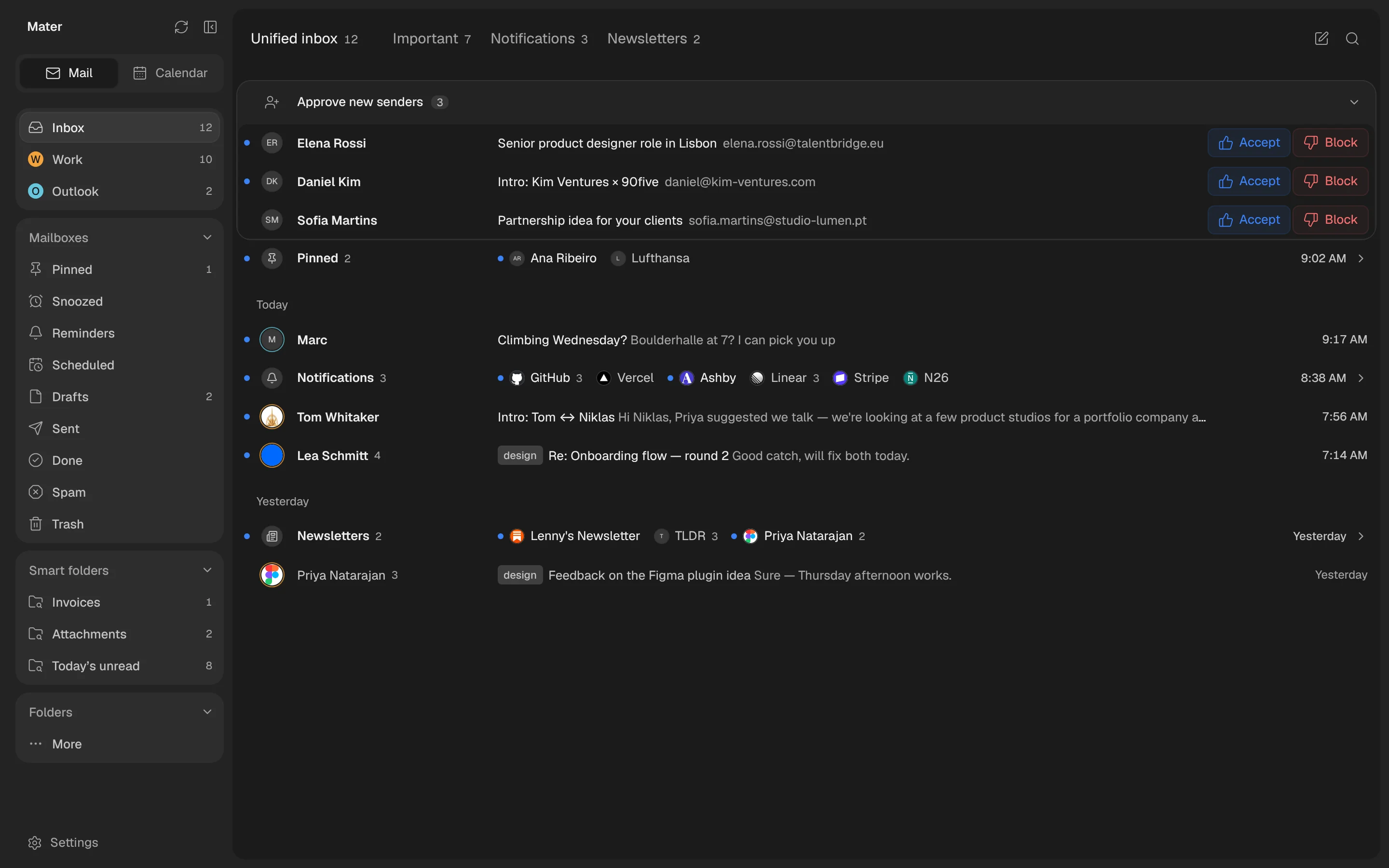
The Mater team moves fast and uses agents to go faster, and with nothing shared to build from, every new screen made small choices of its own: a shadow here, a 13px size there, a line height to make one row fit. Each screen looked fine. Side by side, they didn’t look like one product.

13 hand-written shadows. Every surface picked its own blur and opacity.

34 files with fixed pixel sizes. Text ignored the reader’s font size.

29 files overriding line heights by hand. One text role, many looks.
/approach
Three rules, set on day one.
No redesign, no pause. The product kept its look and its users. What changed is that everything now comes from one place.

One name in Figma and in code
Panel is Panel everywhere: a Figma variable, a class, a CSS variable. Designers, engineers and agents use the same words.

The build guards the system
Lint fails on any colour, size, radius or duration that isn’t a token, and names the right one. Consistency stops being a review topic.

Every screen comes from the library
Colours, text styles and components all come from one place, so one change reaches the whole app.
/example-cleanup
Thirteen shadows became four.
Every surface that lifted off the page had picked its own shadow. We named four levels by what they do: raised, floating, overlay and modal. Each is a layered shadow, so depth reads the same in light and dark. These are the real values.
/type
Seven roles, each with one line height.
The one-off overrides are gone. Every size is in rem and every line height a ratio, so the whole app follows the text size people set in their browser. The bars show how often each role is used across Mater’s screens.
- Bodytext-body13 / 18
Do you want the annual price shown first?
- Microtext-micro11 / 14
Today · 11 unread · 9:05 AM
- Captiontext-caption12 / 16
elena.rossi@talentbridge.eu
- Titletext-title15 / 20
Senior product designer role in Lisbon
- Body largetext-body-lg14 / 22
Reading text in messages and replies
- Headingtext-heading20 / 24
Re: Onboarding flow
- Monofont-mono11 / 16
⌘K ⇧⌘P 482 913
/one-source
One name, from Figma to code.
Every token lives in one registry, with its Figma variable, its class and what it’s for. Figma names its variables the same way and the lint reads the same list. When a designer says “Panel”, the code says bg-panel, whoever writes it.
- Surface / BackgroundThe page.bg-background
- Surface / PanelSidebars and the canvas behind the page.bg-panel
- Surface / CardFields, tiles, keys, cards on a panel.bg-card
- Accent / DefaultThe one action colour: buttons, selection, links.bg-accent
- Danger / DefaultDestructive actions and errors.bg-danger
- Radius / Radius 8Fields, buttons, drag pills.rounded-8
- Shadows / OverlayMenus, popovers, toasts.shadow-overlay
- Padding / Padding 8Named in px, set in rem: it scales with the reader’s text.p-8
8 of 82 tokens · swatches split light and dark
/lint
Nothing off-system gets through.
The lint fails on any colour, radius, size, spacing, opacity, duration, layer or icon size that isn’t in the registry, and says which token to use instead. Whoever wrote the line, a person or an agent, fixes it and runs it again. Nobody has to catch it in review.
$ npm run lint
event-panel.tsx:41  bg-[#3b82f6]
  colour: use a registry colour class (bg-panel, text-muted, …)
event-panel.tsx:44  rounded-[12px]
  radius: use rounded-4 · 6 · 8 · 10 · 14 · 18 · full
event-panel.tsx:52  text-[13px]
  font size: use a type style (text-micro … text-heading)
event-panel.tsx:60  duration-[220ms]
  duration: use duration-fast · default · slow · sheet
4 value(s) outside the design system.

$ npm run lint
tokens: ok
The interface rules everyone works to, people and agents alike
Use the tokens, never a new value.

A new value goes into the registry and Figma first.
One icon set and one set of primitives.

Only transform and opacity animate, and everything honours reduced motion.
/library
A library that works for everyone.
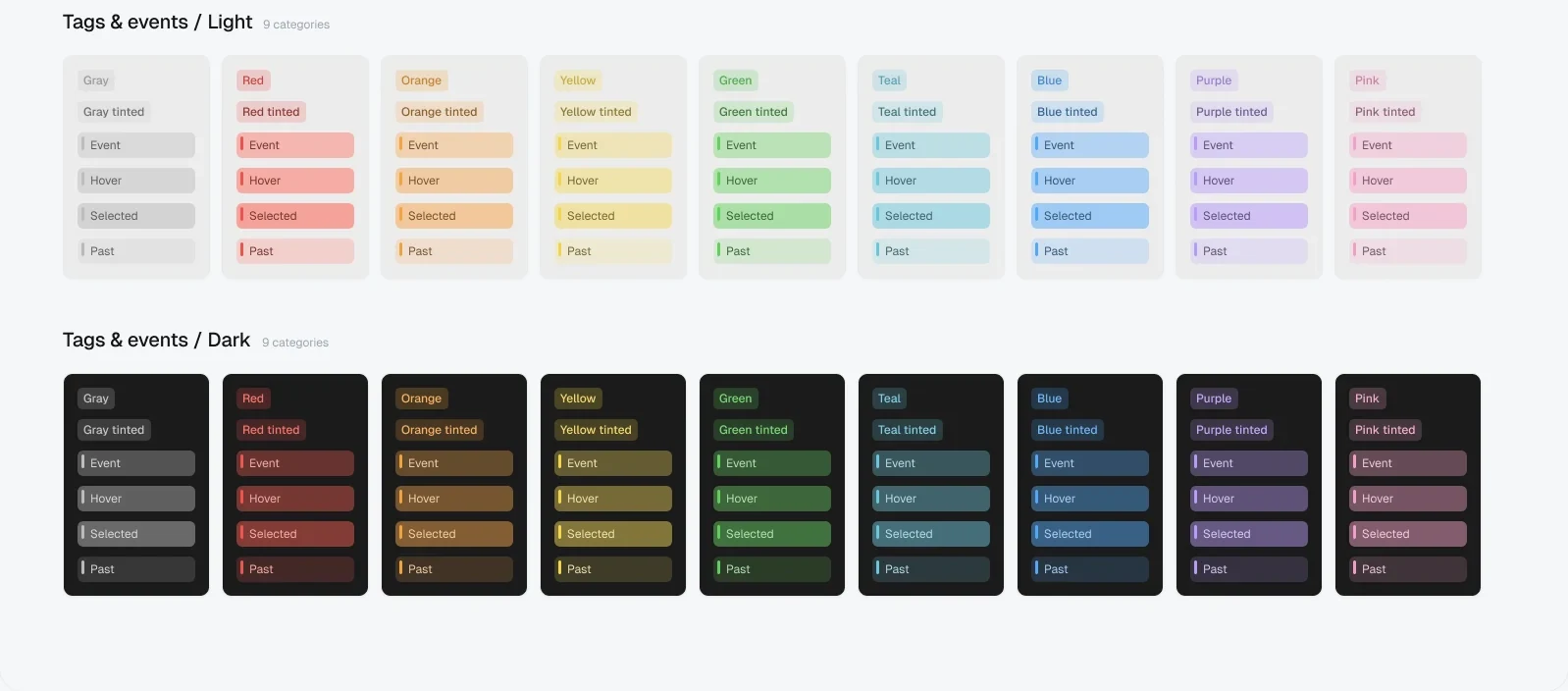
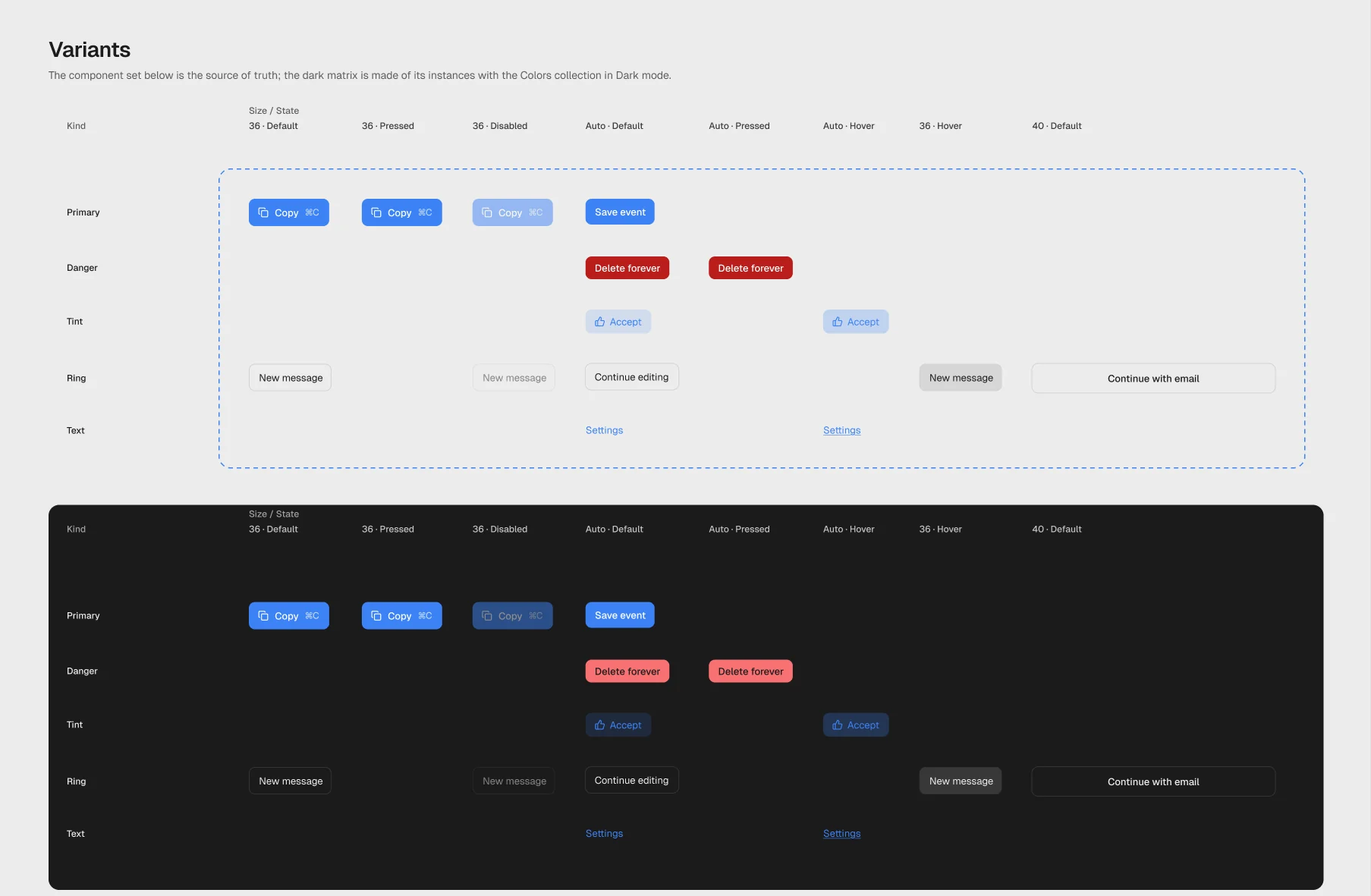
313 variables in five collections, 28 text styles, 52 components with 498 variants and 113 icons. Colours come in four modes: light, dark, and a colour-blind version of each, so tags and calendars stay easy to tell apart. Every component shows its light and dark versions, its properties and how it behaves.
/product
One library, every screen.
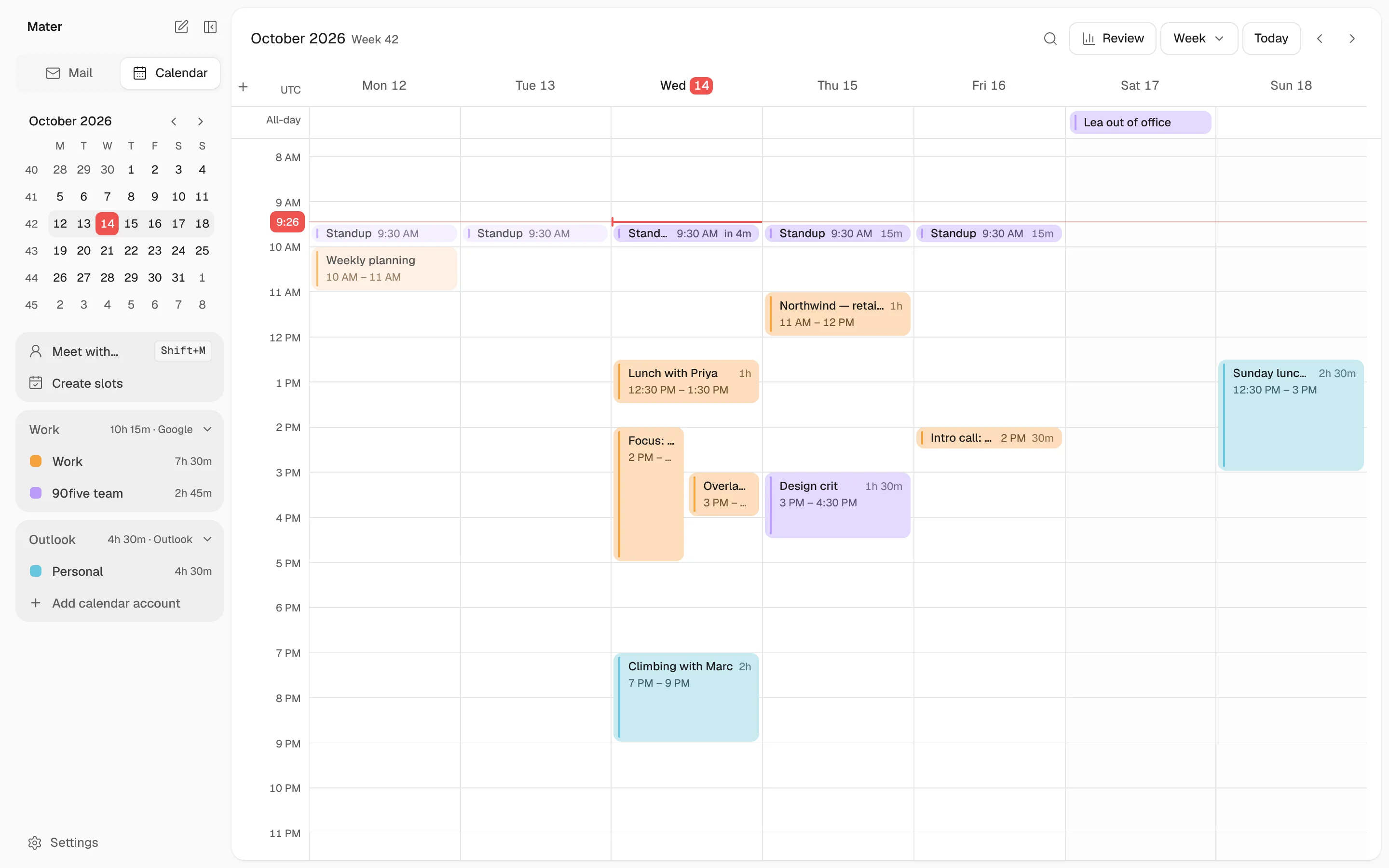
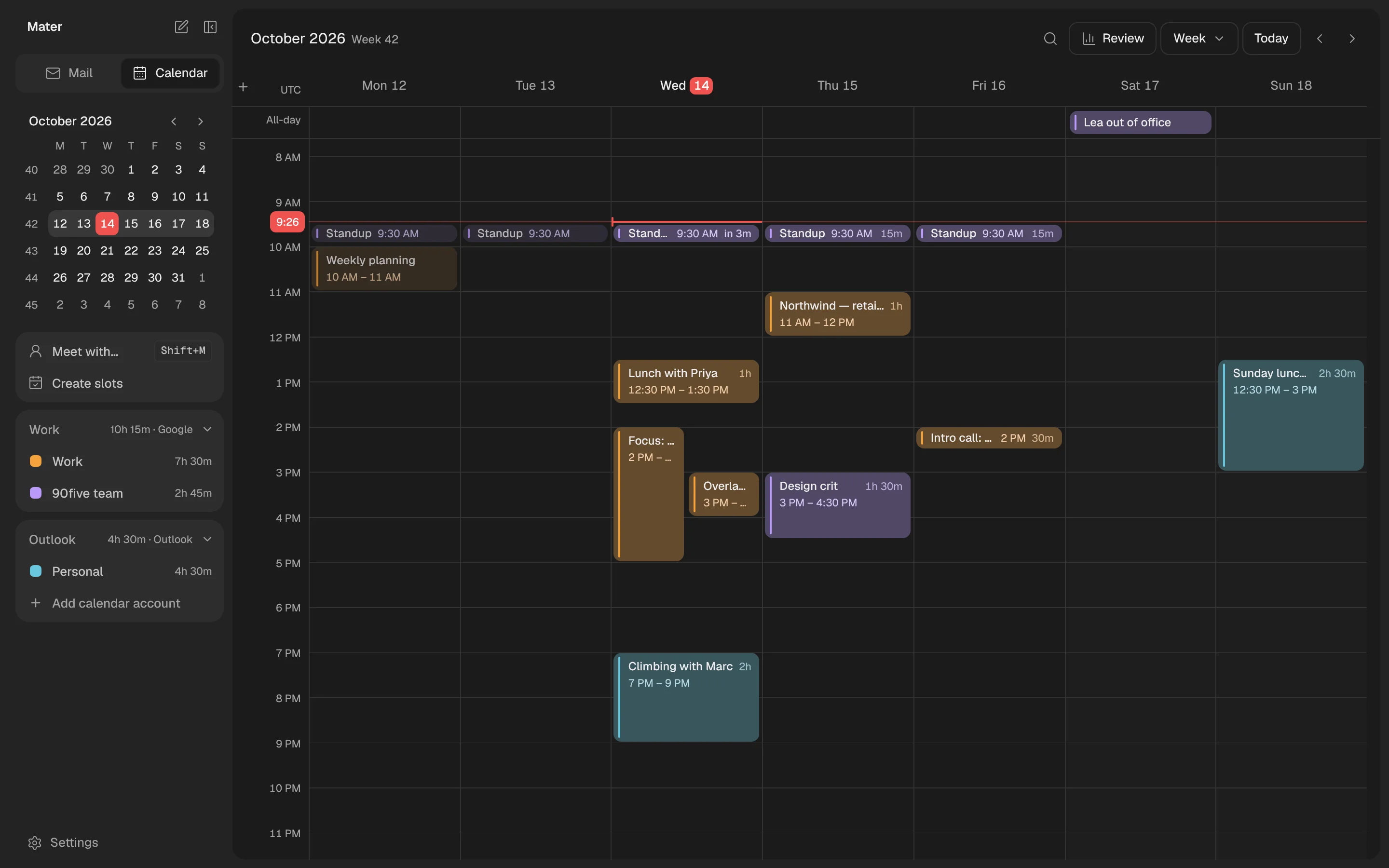
The same system runs the whole app, on desktop and phone, in light and dark. Every colour, text style and component comes from the library, so one change there reaches every screen, and design and code don’t drift apart again.
/prototypes
With a system underneath, exploring got cheap.
Once every value came from the registry, a prototype took hours, not days. In a single day their team ran 8 rounds of prototyping with 37 variants, compared them side by side in the real app, shipped the winners and deleted the rest. It doubled as a stress test: their agents built every variant on our system, and the lint found 0% drift.
- Round 11 shipped
- Round 21 shipped
- Round 31 shipped
- Round 4folded into the next round
- Round 51 shipped
- Round 61 shipped
- Round 71 shipped
- Round 81 shipped
8 rounds · 37 variants · one day
/ten-days
Ten days, without pausing the product.
Mater stayed live the whole time. Every change went out as a normal release, and the beta users only ever saw the product getting calmer.

Audit of the code and the Figma file: every screen mapped, every one-off value counted.
4 Oct
Type scale with one line height per role, sizes in rem, thirteen shadows down to four.
8 OctToken names in code match Figma. Every screen builds from the library.
10 Oct
The registry, a live token page and the lint rule ship together.
11 OctEight prototype rounds, 37 variants. The winners ship the same day.
12 Oct
Handover: the docs site and custom agent skills. New features now start on the system.
13 Oct
/handover
What Mater walked away with.
One system, in every place the team and its agents work.
Figma library. Variables, styles and components, light and dark, with colour-blind modes.

Docs site. Every token, component and rule in one place, for the team and for their agents.

Custom agent skills. So coding agents build with the system from the first prompt.
npx registry and lint. Every component and token from one registry, checked on every build.
/results
What changed for the team.
New screens start from the library, not a blank file.
Reviews are about ideas again, not padding and shades of grey.
Agents build with the same tokens as the team, and the build checks them.
Design and code use one vocabulary, so nothing has to be translated.
“We’re a small team and we use agents to move fast. That speed used to cost us consistency. Now everything we build starts from the same system, and the build catches anything that doesn’t. We stopped reviewing for consistency and started reviewing ideas.”
 Founder, Matertrymater.com
/your-turn
Same sprint, your product.
Same scope, same two weeks. Here is how it starts.

A 30-minute intro call about your product and your team.
day 0An audit of your code and your Figma file, and a locked scope.
day 1–3The system, shipped into your product while it stays live.
day 4–14